




















Asterisk
Asterisk
Asterisk

IT solutions for companies based on Microsoft Dynamics 365

We design and deploy Microsoft Dynamics 365 solutions that automate processes, eliminate errors, and deliver real-time data — so you can make better decisions, faster.

01. Dynamics 365 Finance — control over company finances
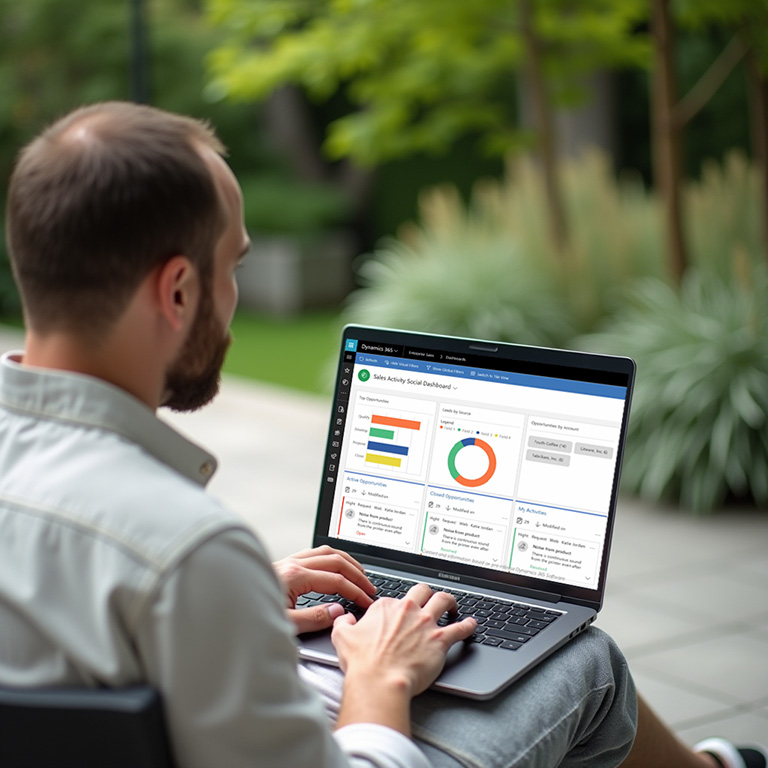
At Retcon, we implement the Microsoft Dynamics 365 Finance module, which supports financial management in medium and large companies. This advanced ERP tool enables you to automate accounting processes, plan liquidity, control costs, and ensure regulatory compliance. The system offers comprehensive real-time financial reporting and integration with other Dynamics 365 modules.
What you gain:
Icon
Full control over the finances of the entire organization
Icon
Compliance with local regulations (e.g., JPK, KSeF)
Icon
Automation and transparency of financial and accounting processes
02. Commerce and POS — modern sales integrated with ERP
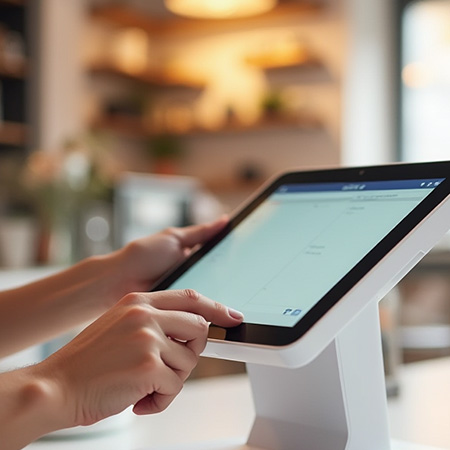
Dynamics 365 Commerce supports multichannel sales: online and in-store. POS integration with ERP enables consistent customer service, inventory management and personalised offers.
Retcon implements retail and e-commerce solutions tailored to your business.
‍Why is it worth it:
Icon
full Commerce integration with e-commerce platforms
Icon
customized POS for the store environment
Icon
analysis of sales data in real time
03. Forecasting and budgeting with Microsoft Dynamics 365
We help companies build flexible budgeting models and implement financial forecasting solutions. Dynamics 365 enables forecasts based on historical and current data, with quick updates in response to market changes. Integration with other ERP areas supports strategic and operational planning across the organisation.
‍What makes Retcon stand out:
Icon
models tailored to the industry and company structure
Icon
Budgeting integration with ERP system
Icon
Increased predictability and financial control
04. SCM and WMS — logistics and warehouse in one ERP system
Dynamics 365 SCM and WMS support supply chain and warehouse operations management. They enable inventory optimisation, delivery planning, stock control and logistics automation. Retcon implements logistics solutions tailored to each client's operations, with proprietary extensions that integrate the system with carriers and logistics providers.
‍What we offer:
Icon
integrations with courier and TMS systems
Icon
handling of own and external logistics
Icon
Flexible Warehouse Processes (WMS)
05. Agentic-ready ERP — Dynamics 365 and Retcon Solutions agents
We prepare Microsoft Dynamics 365 to work with AI agents — from organising processes and data to automating specific tasks in finance, procurement and operations.
We help you use Microsoft agents available in Dynamics 365, while within Retcon Solutions we design and develop our own agents tailored to your company's processes. We combine ERP expertise with technology to reduce manual work, detect issues faster and streamline task execution.
How we support your business:
Icon
ERP readiness for agents — assessing processes, data quality and integrations, and selecting use cases that deliver value.
Icon
Microsoft agents in Dynamics 365 — selecting, configuring and implementing available capabilities in your teams' everyday work.
Icon
Retcon Solutions agents — developing agents for specific processes, with defined permissions, oversight and user approval.
06. Retcon Solutions — proprietary solutions for Dynamics 365
Through Retcon Solutions, we create and develop proprietary solutions for Microsoft Dynamics 365 and AX 2012. They streamline everyday work in finance and sales, automate tasks and connect ERP with external services. We select modules to suit your company's processes and system environment.
Selected Retcon Solutions products:
Icon
KSeF Connector D365 / AX2012 — send and receive e-invoices directly from ERP and monitor their processing status.
Icon
New KSeF Aggregate Identifier — manage identifiers for batch payments and link each payment to the invoices it settles in Dynamics 365.
Icon
JPK_CIT — prepare data and generate reporting files from Dynamics 365.
Icon
Counterparty Verification SaaS — check company details, VAT status and bank accounts against official registers, including Poland's VAT White List and VIES.
Icon
Commerce and POS integrations — connect Dynamics 365 with payment terminals, fiscal printers and electronic receipts.
Want to know more
‍
about our references — contact us.
Contact
Arrow
 12 34 56
← Wróć do Wiedzy

AGENTIC AI · COMMERCE · POS

Store Monitoring Agent — monitoring i diagnostyka POS

Centralny monitoring POS, alerty i diagnostyka z AI. Sprawdź stan urządzeń, wspieraj Service Desk i oceniaj efekty w pilocie z Retcon.

Stanowisko POS w Microsoft Dynamics 365 Commerce

Gdy stanowisko POS zwalnia lub traci łączność, zespół wsparcia potrzebuje szybkiej odpowiedzi: co się wydarzyło i od czego zacząć diagnostykę? Store Monitoring Agent pomaga wykorzystać telemetrię urządzeń, aby dostarczyć Service Desk kontekst do działania.

Stan POS w jednym miejscu

Retcon przygotowuje pilota centralnego monitoringu technicznego POS, łącząc usługi Azure z szablonem Store Monitoring Agent w Microsoft Copilot Studio. Rozwiązanie ma wspierać wcześniejsze wykrywanie problemów, ograniczać ręczne kontrole i ułatwiać analizę incydentów w wielu lokalizacjach.

Zaczynamy od wybranych stanowisk i uzgodnionych scenariuszy. Pilot pozwala sprawdzić przydatność alertów, jakość diagnostyki i rzeczywiste koszty działania przed decyzją o rozszerzeniu monitoringu na całą sieć.

Co może obejmować monitoring

  • Dostępność online/offline. Wykrywanie braku telemetrii i jej wznowienia, z uwzględnieniem godzin działania oraz uzgodnionych przerw serwisowych.
  • Wykorzystanie CPU i RAM. Obserwacja zasobów i ostrzeżenia po przekroczeniu ustalonych progów.
  • Błędy Store Commerce i systemu. Analiza wybranych zdarzeń z aplikacji i dzienników systemowych.
  • Baza offline i łączność. Uzgodnione sygnały diagnostyczne, zależnie od telemetrii dostępnej w środowisku.
  • Alerty i raport dzienny. Powiadomienia do ustalonego kanału oraz zbiorczy Daily Health Report dla monitorowanych stanowisk.

Jak współpracują monitoring i agent AI

Azure Arc i Log Analytics zapewniają zbieranie uzgodnionej telemetrii. Reguły Azure Monitor wykrywają określone sytuacje, a agent analizuje wybrane zdarzenia, pytania użytkowników i raporty. AI nie odpytuje bez przerwy każdego stanowiska POS.

Agent działa w trybie tylko do odczytu: wspiera analizę stanu urządzeń i wstępną diagnostykę. Decyzje oraz działania naprawcze pozostają po stronie zespołu wsparcia.

Co zyskuje Service Desk

Celem jest dostarczenie informacji o problemie jeszcze przed zgłoszeniem z lokalizacji, szybsze wskazanie możliwych przyczyn oraz łatwiejsze rozpoznawanie zdarzeń wspólnych dla wielu POS. Historia telemetrii i raporty pomagają śledzić dostępność urządzeń i planować kolejne działania.

W pilocie mierzymy efekty: czas diagnostyki i eskalacji, liczbę incydentów i nieprzydatnych alertów, wolumen telemetrii oraz zużycie kredytów Copilot Studio na analizę, sesję i raport. Wyniki porównujemy z dostępnymi danymi bazowymi.

Od pilota do decyzji o rozwoju

  1. Ustalamy zakres. Wybieramy lokalizacje i POS, sprawdzamy zgodność środowiska, harmonogram pracy, dostęp oraz zasady przetwarzania danych.
  2. Konfigurujemy i testujemy. Podłączamy telemetrię, przygotowujemy reguły, agenta i kanał raportowania. Sprawdzamy kontrolowane scenariusze oraz raport dzienny.
  3. Obserwujemy i dostrajamy. Oceniamy użyteczność alertów, jakość odpowiedzi i koszty eksploatacji.
  4. Przekazujemy wyniki. Raport końcowy i dokumentacja wspierają decyzję o dalszym rozwoju rozwiązania.

Zakres dopasowany do Twojego środowiska

Przed startem potwierdzamy wymagania urządzeń, dostęp do Azure i Copilot Studio, odbiorców alertów oraz sposób integracji. Reguły zbierania i przetwarzania projektujemy dla uzgodnionej telemetrii technicznej, tak aby wykluczyć dane pacjentów i dane płatnicze z analizy AI.

Zakres pilota, usługi chmurowe, licencje i ewentualne dodatkowe integracje określamy indywidualnie. Pilot daje podstawę do oceny szerszego wdrożenia oraz modelu utrzymania.

Porozmawiajmy o monitoringu POS w Twojej firmie

Poznaj szablon Store Monitoring Agent w dokumentacji Microsoft

← Back to Knowledge

AGENTIC AI · COMMERCE · POS

Store Monitoring Agent — POS monitoring and diagnostics

Central POS monitoring, alerts and AI-assisted diagnostics. Review device health, support your Service Desk and assess results in a pilot with Retcon.

POS workstation in Microsoft Dynamics 365 Commerce

When a POS device slows down or loses connectivity, the support team needs a quick answer: what happened, and where should troubleshooting begin? Store Monitoring Agent helps turn device telemetry into useful context for the Service Desk.

POS health in one place

Retcon designs a pilot for central technical POS monitoring, combining Azure services with the Store Monitoring Agent template in Microsoft Copilot Studio. The aim is to detect issues earlier, reduce manual checks and support incident analysis across locations.

We start with selected devices and agreed scenarios. The pilot tests the usefulness of alerts, diagnostic quality and actual operating costs before a decision to expand across the network.

What monitoring can cover

  • Online/offline availability. Detecting missing and resumed telemetry, accounting for operating hours and agreed maintenance windows.
  • CPU and RAM usage. Tracking resources and warning when agreed thresholds are exceeded.
  • Store Commerce and system errors. Analysing selected application events and system logs.
  • Offline database and connectivity. Agreed diagnostic signals, depending on the telemetry available in the environment.
  • Alerts and daily reporting. Notifications to an agreed channel and a consolidated Daily Health Report for monitored devices.

How monitoring and the AI agent work together

Azure Arc and Log Analytics collect the agreed telemetry. Azure Monitor rules detect defined conditions, while the agent analyses selected events, user questions and reports. AI does not continuously poll every POS device.

The agent operates in read-only mode, supporting device health analysis and initial troubleshooting. The support team remains responsible for decisions and corrective action.

What the Service Desk gains

The goal is to provide context before a location reports an issue, help identify possible causes faster and make it easier to spot problems affecting multiple POS devices. Historical telemetry and reports support availability tracking and follow-up action.

During the pilot, we measure diagnostic and escalation time, incidents and unhelpful alerts, telemetry volumes, and Copilot Studio credits consumed per analysis, session and report. Results are compared with available baseline data.

From pilot to a decision on expansion

  1. Define the scope. Select locations and POS devices, check compatibility, operating schedules, access and data processing rules.
  2. Configure and test. Connect telemetry, set up monitoring rules, the agent and the reporting channel. Test controlled scenarios and daily reporting.
  3. Observe and tune. Assess alert relevance, response quality and operating costs.
  4. Review results. A final report and documentation support the decision on further development.

Designed for your environment

Before starting, we confirm device requirements, Azure and Copilot Studio access, alert recipients and integration methods. Collection and processing rules are designed for agreed technical telemetry, excluding patient and payment data from AI analysis.

Pilot scope, cloud services, licensing and any additional integrations are agreed individually. The pilot provides a basis for assessing a wider rollout and ongoing support model.

Let’s discuss POS monitoring for your business

Explore the Store Monitoring Agent template in Microsoft documentation

Co chcesz usprawnić
w swojej firmie?

Porozmawiajmy o procesach, wyzwaniach i kolejnym kroku z Microsoft Dynamics 365.

SKONTAKTUJ SIĘ