Back
Automated contractor verification in Dynamics 365 Finance - VAT White List, VIES, GUS, and CEIDG
September 24, 2026
INSIGHT

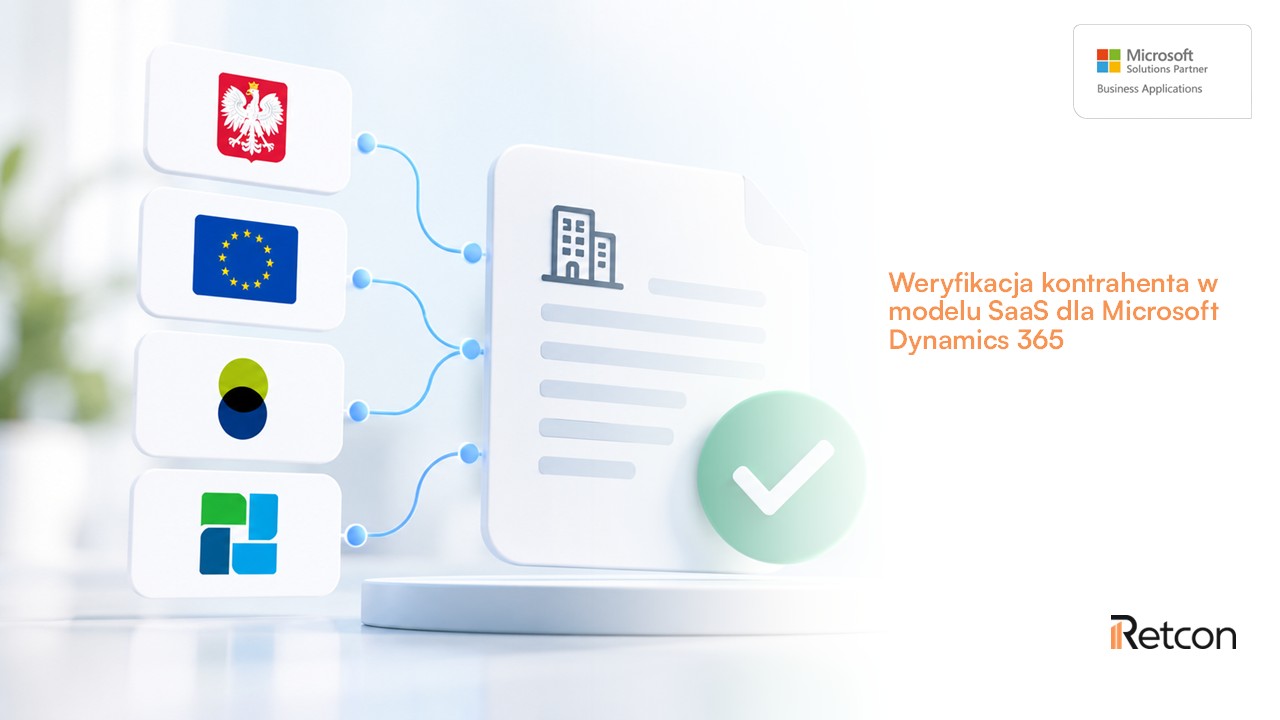
Vendor verification is one of those processes that, in many organizations, still requires manual data checks across several different sources. The VAT White List, VIES, GUS, CEIDG, and bank account details – each of these pieces of information can be critical when setting up a new vendor, posting an invoice, or processing a payment.
The problem arises when an employee has to leave the ERP system every time to open multiple websites, search for the vendor, compare data, and manually document the verification results.
In Microsoft Dynamics 365 Finance, this process can be automated.
Solution D365 SaaS Vendor Verification by Retcon enables automatic verification of vendor and customer data directly within the processes managed in Dynamics 365. The system can verify a counterparty during tasks such as creating a record, processing orders, posting invoices, and preparing payments.
D365 SaaS Vendor Verification is a solution that extends the capabilities of Microsoft Dynamics 365 for the automatic verification of vendor data.
The system uses information available in external public registers and provides the verification results directly to the Dynamics 365 user.
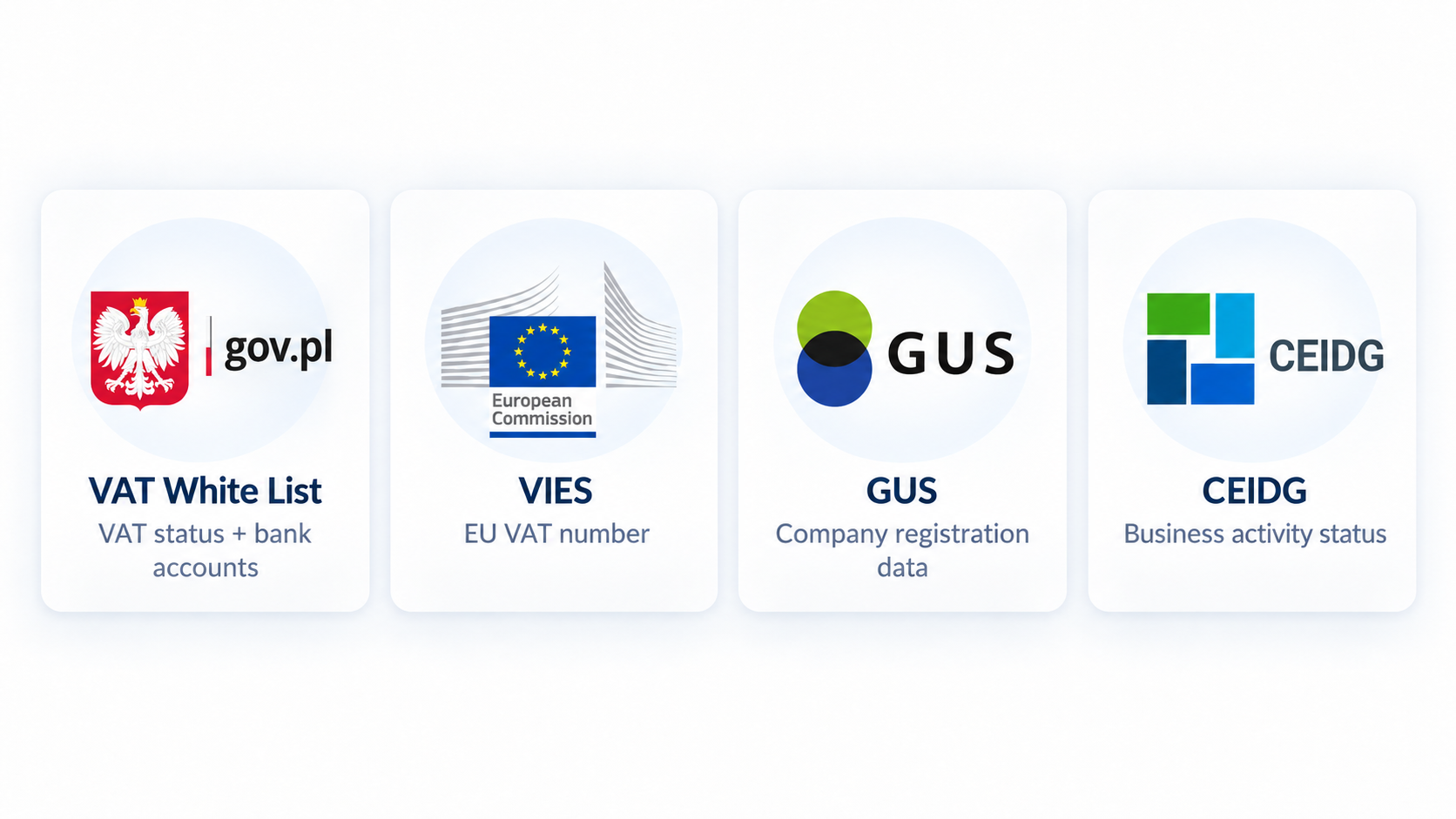
The solution integrates with, among others:
This makes it possible to verify both domestic vendors and entities from the European Union.
The system can verify, among other things, tax status, business activity status, registration details, and the vendor's bank accounts. The results of all checks are saved in the history.
In practice, this means that an employee does not have to perform the entire process manually outside the ERP system.
One of the first opportunities to use Counterparty Verification is when creating a new record in Dynamics 365.
Instead of manually retyping all company details, the user can utilize information retrieved from the relevant registers.
For domestic contractors, entering a REGON number can help retrieve details such as the tax identification number (NIP), contact information, and bank account numbers.
The solution also supports auto-filling data for contractors from the European Union.
This is important for more than just workflow efficiency.
Data saved in a contractor's profile is subsequently used in many financial and operational processes. Accurate master data therefore reduces the risk of errors carrying over into subsequent stages of order processing, invoicing, or payments.
Checking a contractor only when creating their profile is not enough.
Company details can change over time. Business status, tax status, or the bank account used for payments may be updated.
That is why the solution also allows for the re-verification of existing profiles.
Using the tax ID (NIP) and country code, the system can perform an up-to-date check on the contractor and save the result along with the verification date.
If a contractor has assigned bank accounts, these can be additionally checked for validity and status.
This ensures the company does not have to rely on data saved months or years ago as if it were still current.
One of the most critical moments for contractor verification is when preparing a payment.
An error at this stage can have direct financial consequences.
The D365 SaaS Contractor Verification solution allows you to check the bank accounts of domestic contractors and use information available on the VAT White List.
When preparing a payment, the system can verify the bank account and notify the user of any irregularities.
If an account is inactive or has not been verified, the user receives an appropriate warning.
This is a significant difference between checks performed after a process is completed and checks built directly into the ERP.
The information appears at the exact moment the employee is preparing a specific transaction.
Vendor screening does not have to be a separate task performed by the user.
It can be integrated directly into specific business processes.
Automated verification can be performed during, among other things:
For payment journals, verification is performed for domestic vendors.
This ensures that the appropriate check is triggered exactly at the point in the process where it is needed.
There is no need to rely solely on the user's memory or a separate data verification procedure.
Companies may require different methods for screening vendors.
That is why the solution supports several operating models.
Users can manually trigger a check for a specific vendor whenever they need up-to-date information.
Checks can be triggered by specific business process events, such as creating an order or posting an invoice.
The system also allows for the automatic processing of multiple vendors simultaneously.
This is particularly important for organizations with an extensive base of suppliers and customers.
Simply displaying the current check result is not always enough.
In financial processes, it may also be important to determine:
That is why the system saves the history of operations related to both counterparty and bank account verification.
Each check can be recorded along with the date and result, and the history is available from the counterparty card.
This approach supports the documentation of control activities performed and the process of due diligence.
Counterparty Verification operates in a SaaS model.
This means that Dynamics 365 uses a specialized service responsible for communicating with external data sources.
This approach allows for more effective management of, among other things, query limits for public registers and increases the process's resilience to the periodic unavailability of individual data sources.
This is particularly important in the case of an ERP system, where external integration should not unnecessarily disrupt user workflows.
Not every organization needs the same verification policy.
In one company, checking before payment may be key. In another, it may be more important to automatically check the counterparty when creating an order or posting an invoice.
That is why the solution is configurable.
You can define the business processes and system transactions for which the check should be performed.
It is also possible to exclude specific vendors or bank accounts from the verification process.
This allows you to tailor the mechanism to the procedures in place at your specific organization.
The primary value of this solution is not just connecting your ERP system to another registry.
The real value emerges when data from the VAT White List, VIES, GUS, and CEIDG becomes an integral part of your actual business process.
Automated vendor verification can help with:
The solution documentation also highlights support for reducing the risk of joint and several liability and ensuring greater transparency in transactions.
In a manual workflow, the process might look like this:
Dynamics 365 → VAT White List → VIES → GUS or CEIDG → re-checking data in Dynamics 365 → saving the result.
Every additional step consumes user time and introduces the possibility of error.
Once automated verification is implemented, the process can be significantly simplified:
Dynamics 365 → automated verification → check result → process continuation.
The user receives the necessary information directly within the environment where they perform their work.
The solution is primarily designed for organizations using Microsoft Dynamics 365 that:
The higher the number of counterparties and transactions, the more important process automation becomes.
Yes. The D365 SaaS Counterparty Verification solution allows you to use data from the VAT White List directly within processes carried out in Microsoft Dynamics 365. The system can check, among other things, the taxpayer's status and the counterparty's bank accounts.
Yes. The system can verify the account while preparing a payment and notify the user if the account is inactive or unverified.
Yes. Contractor Verification uses VIES to check EU VAT numbers.
Yes. GUS can be used to verify a company's registration details, while CEIDG is used to check the status of sole proprietorships.
Yes. When creating a record, the system can assist in filling out contact details. For domestic contractors, it is possible to retrieve the tax ID (NIP) and bank account information based on the REGON number.
Yes. The solution supports both individual and bulk verification.
Yes. The history of contractor and bank account checks can be saved along with the date and result of the verification.
Contractor verification shouldn't be just another task for the user to remember.
It should be an integral part of the process.
D365 SaaS Contractor Verification allows you to integrate data from the VAT White List, VIES, GUS, and CEIDG with processes managed in Microsoft Dynamics 365.
Checks can be performed when creating a contractor record, processing an order, posting an invoice, or preparing a payment.
As a result, users get the information they need right where they need it – without having to switch between the ERP system and various external websites.
Retcon develops solutions that extend Microsoft Dynamics 365 with functionality tailored to the needs of businesses operating in the Polish market.
D365 SaaS Contractor Verification can be configured to match your organization's specific processes – from creating contractor records and managing purchasing and sales, to invoicing and payment control.
If your organization uses Microsoft Dynamics 365 and still manually checks contractors against the VAT White List, VIES, GUS, or CEIDG, automating this process can significantly reduce manual tasks and improve control over the data used in your financial processes.
Want to automate contractor verification in Microsoft Dynamics 365?
Talk to our team about implementing the Contractor Verification D365 SaaS solution, integrating it with the Polish VAT White List, VIES, GUS and CEIDG, and adapting the verification process to your organization’s requirements.
E-mail: marketing@retcon.pl
Let’s talk about Contractor Verification in Dynamics 365